User Guide: How to Use Our Coffee Machines
Step 1: Prepare the Nozzles & Scan
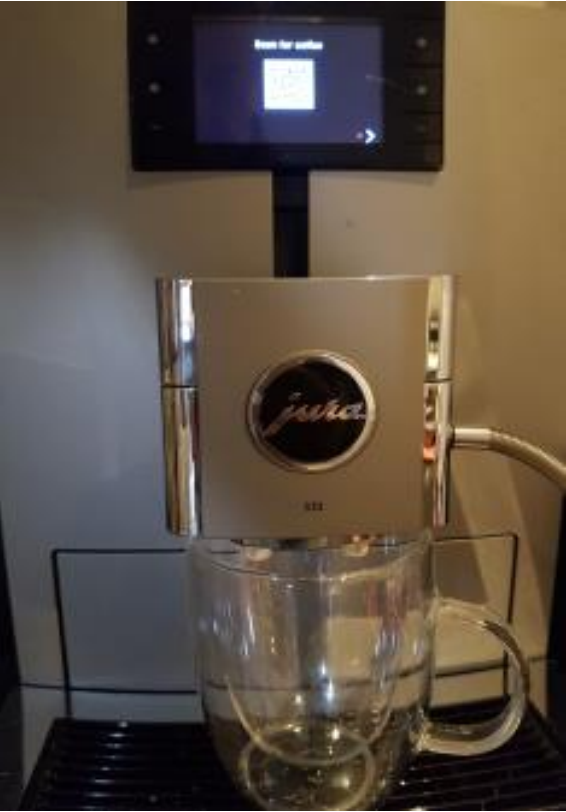
Move dispensing nozzles down to just above cup to prevent splashing of foam. Scan the QR code on the screen with your phone.
Step 2: Sign In or Register
Tap on the white human figure in the top right-hand corner of the screen to sign into your account. Then tap on YES. If you are a first-time visitor, you will first need to register. A confirmation email will be sent to you within 2 hours.
Step 3: Enter Your Details
Type in the email address and password with which you registered. If this was pre-populated on the screen you can just tap on the email address to sign in.
Step 4: Tap the "H"
Tap on the "H" in the middle of the screen.
Step 5: Pair with the Machine
Select the Raizecorp coffee machine and click on PAIR to connect your phone with the machine.
Step 6: Choose Your Brew
Choose your favorite brew from the menu by tapping on it.
Other Important Info
If you tap on the white figure in the top right hand corner again you can see the credits remaining on your account. You can buy more credits by using the SnapScan QR next to the machine or by visiting www.myroasted.co.za and clicking on "BUY CREDITS".